OpsKit
Pro System Maintenance Toolkit — Self-Healing Windows Desktop Utility
⚡ The Console
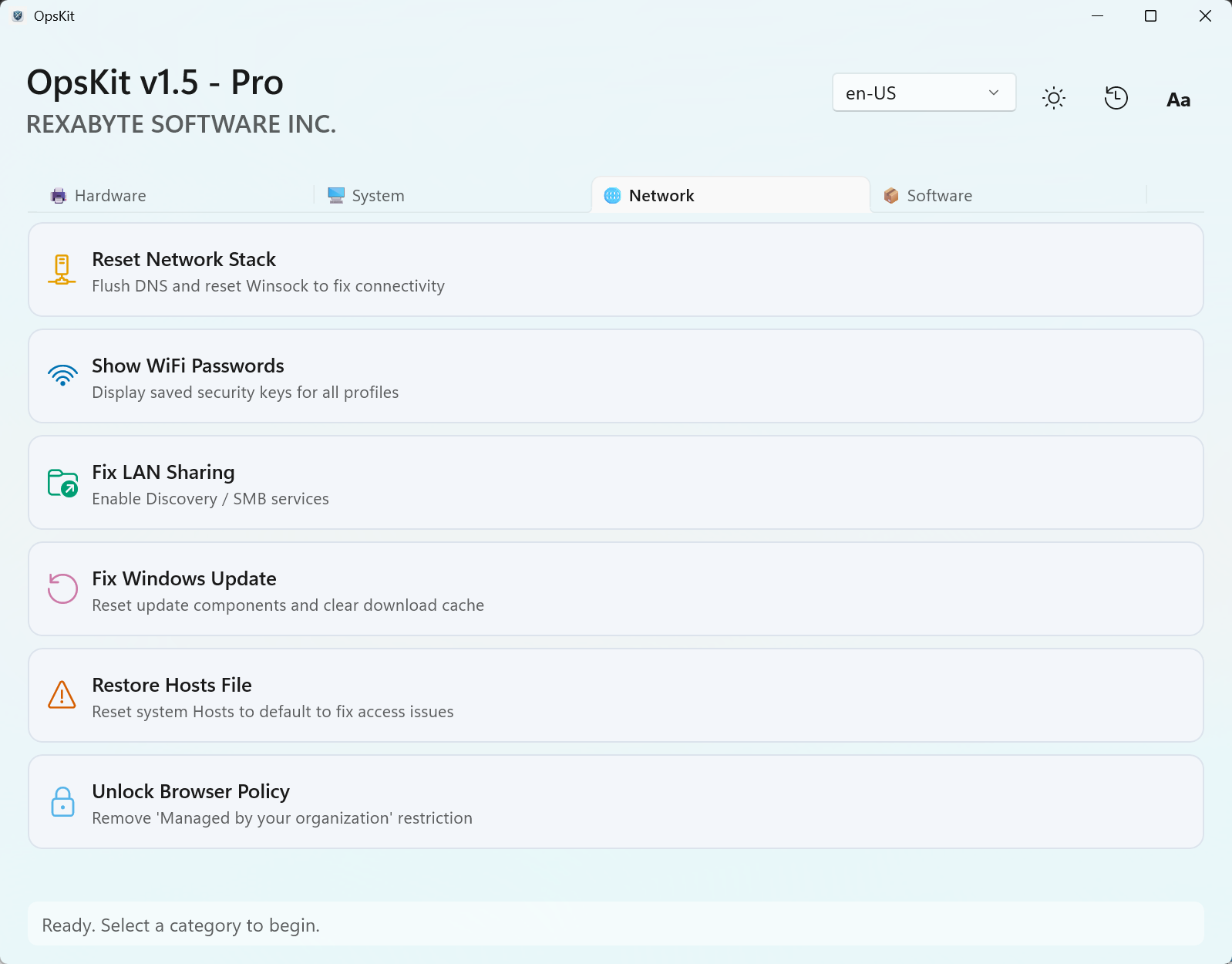
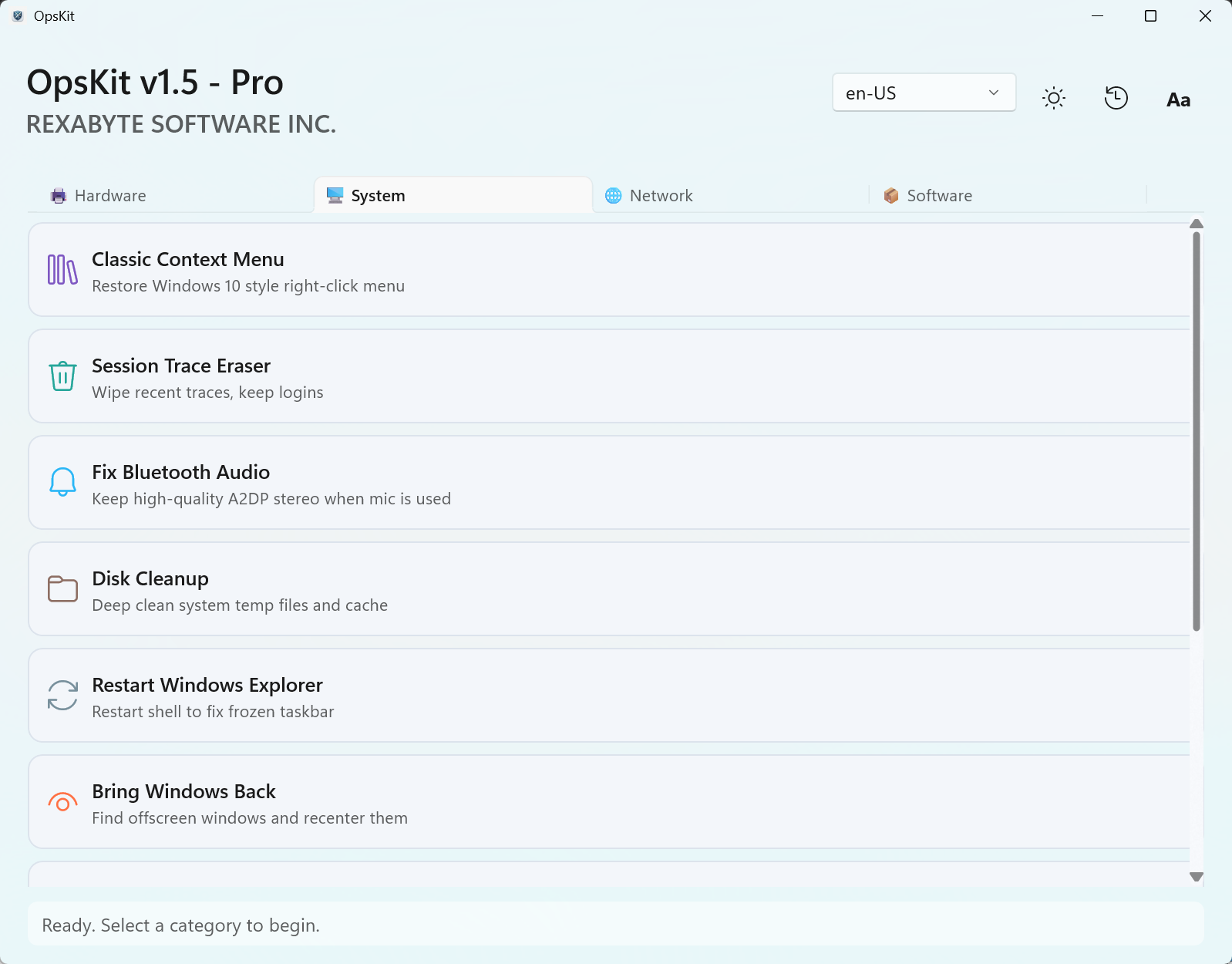
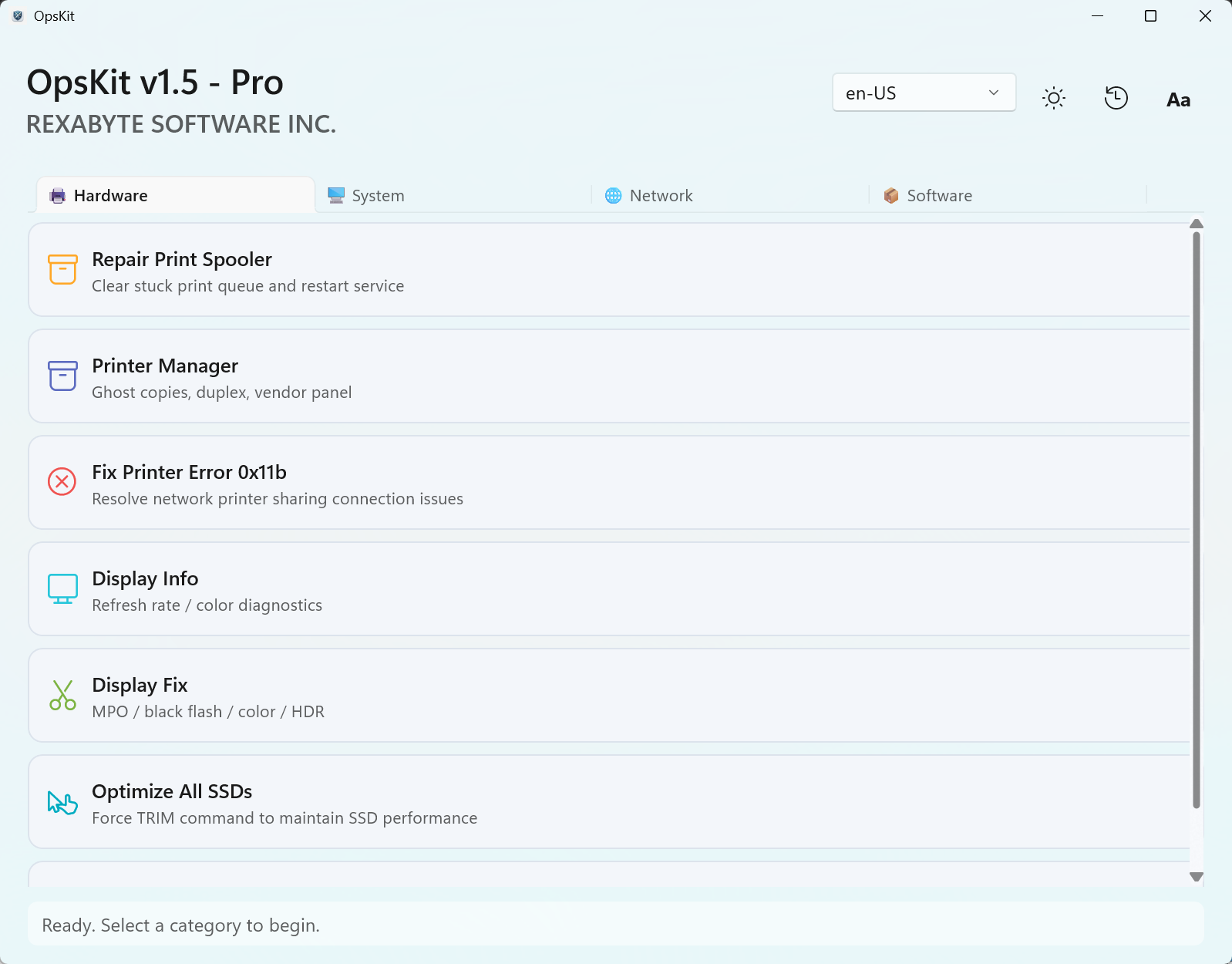
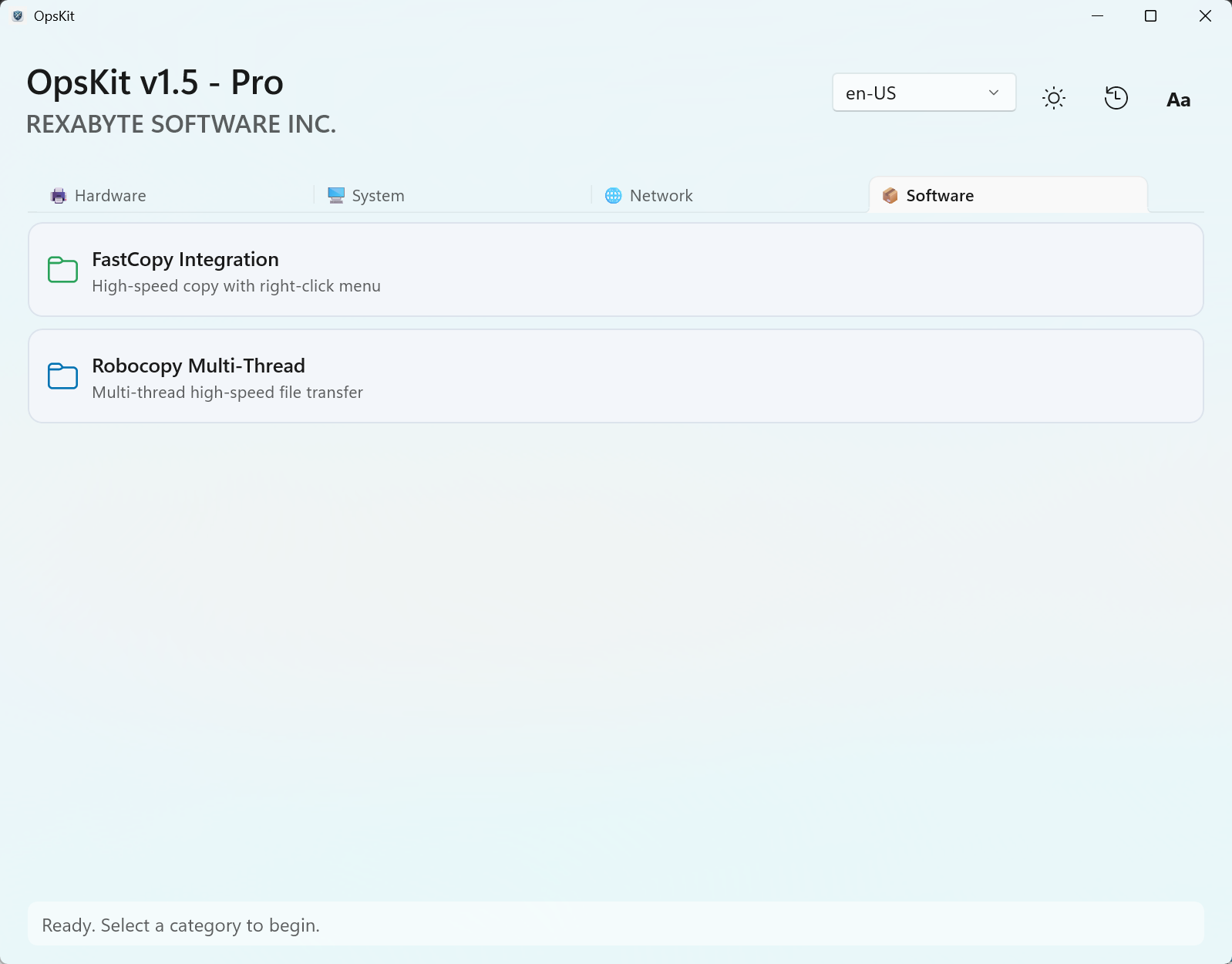
🛠️ 25 One-Click Repair Cards
🌐 NETWORK
- Reset Network Stack
- Show WiFi Passwords
- Fix LAN Sharing
- Fix Windows Update
- Restore Hosts File
- Unlock Browser Policy
🖥️ SYSTEM
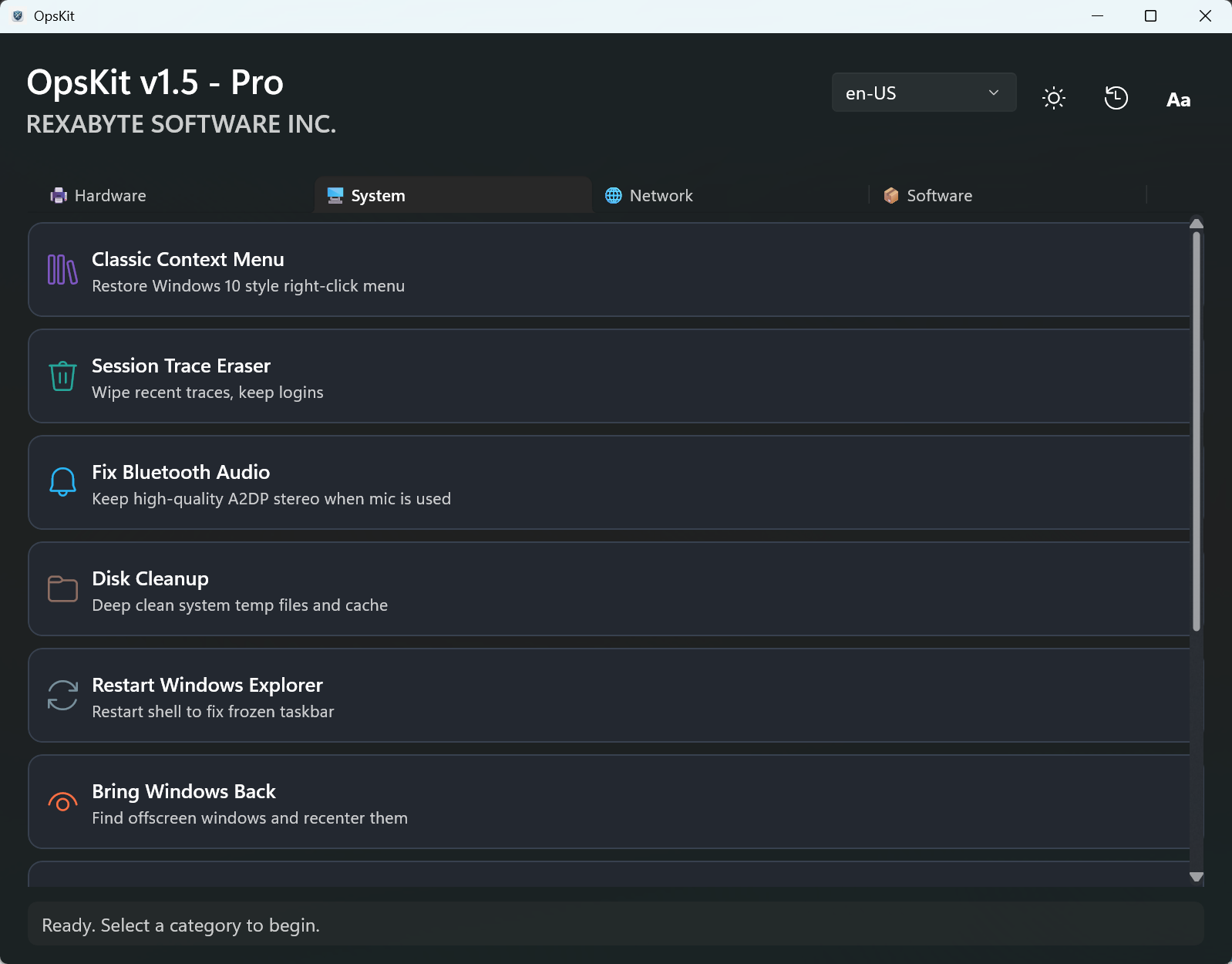
- Classic Context Menu
- Session Trace Eraser
- Fix Bluetooth Audio
- Disk Cleanup
- Restart Explorer / Bring Windows Back
- Ultimate Performance / Rebuild Icons
- Deep System Repair / Upgrade PS7
🖨️ HARDWARE
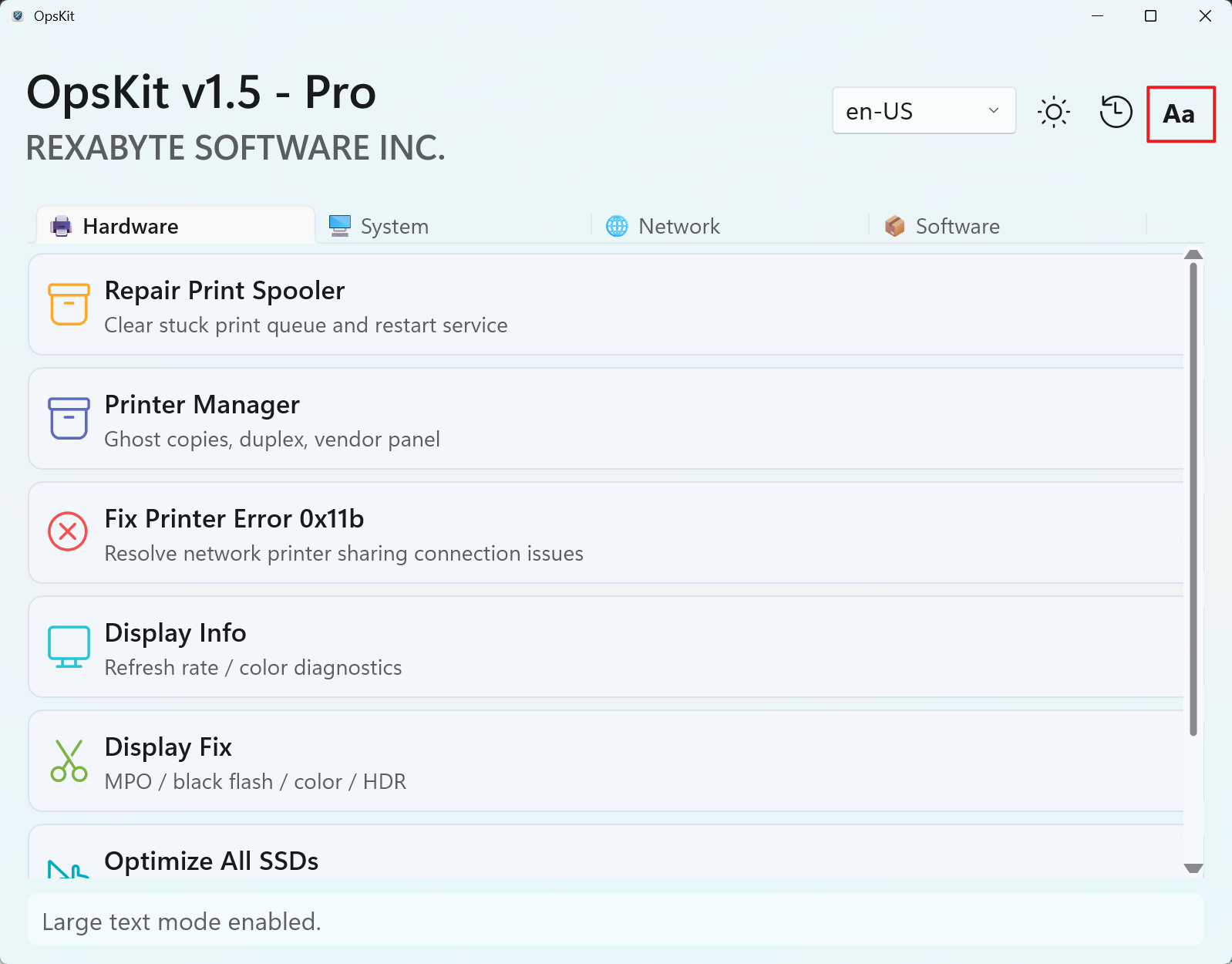
- Repair Print Spooler
- Printer Manager
- Fix Printer Error 0x11b
- Display Info / Display Fix
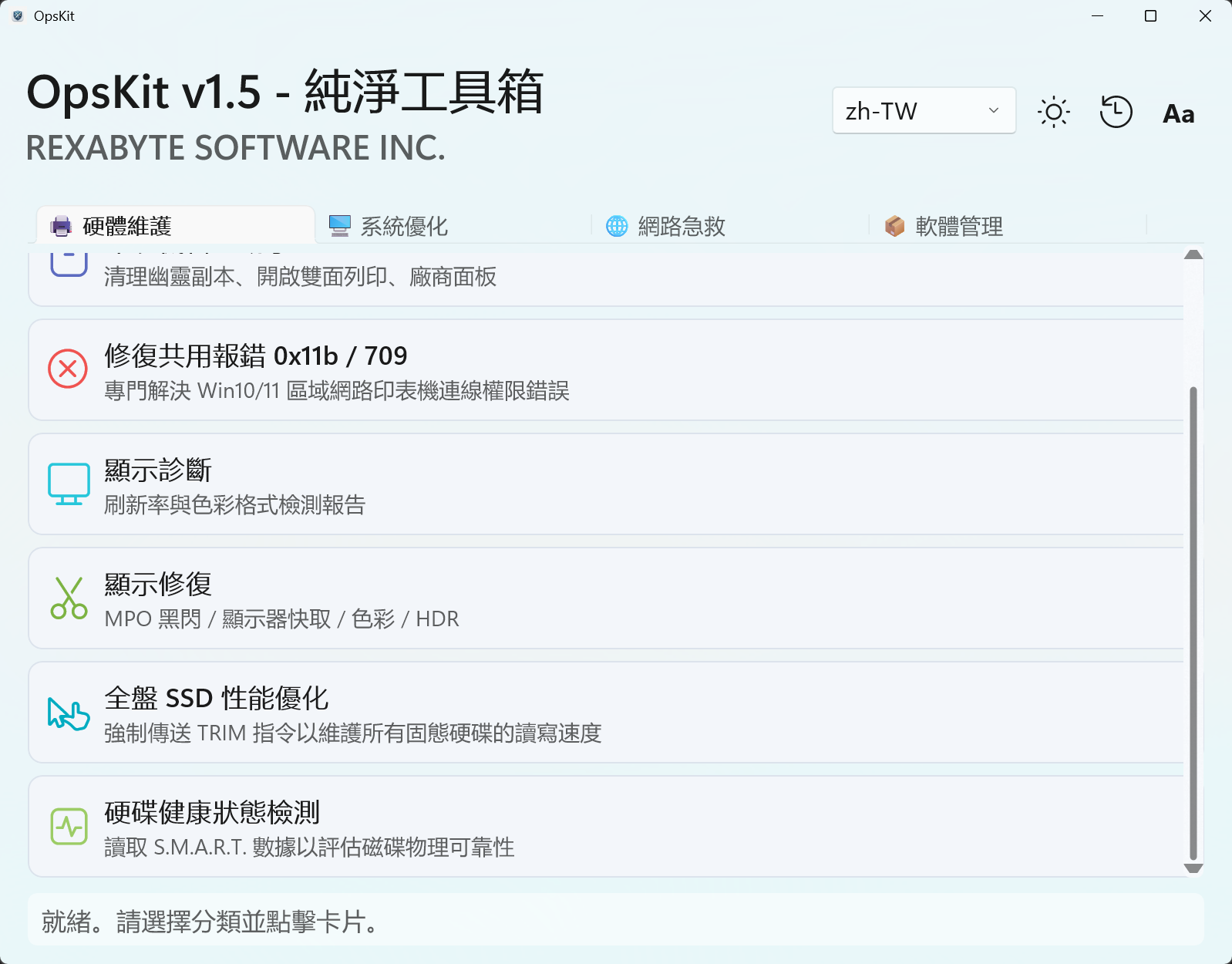
- Optimize All SSDs
- Disk Health Status
📦 SOFTWARE
- FastCopy Integration
- Robocopy Multi-Thread
🔬 Engineering Excellence
📦 Green & Standalone
No installers, no registry bloat, no background services. Compiled with Native AOT — pure native binary, instant startup, zero external .NET runtime required.
🛡️ Snapshot Rollback
Every destructive fix auto-generates a JSON state snapshot first, enabling lossless single-item rollback. One-click restore, never leave the system half-patched.
⚡ Full-Async Engine
Parallel diagnostic engine scans printers, disks, display, network, and Bluetooth concurrently — full sweep under 5 seconds. UI never freezes, every long task is cancellable.
🎨 Fluent & Accessible
Mica material, dark/light theme, large-text mode, and Okabe-Ito color-blind palette — all animations GPU-composited for buttery 60fps.
🌍 7-Language Ready
English, 简体中文, 繁體中文, 日本語, Français, Deutsch, Español — switchable in one click, key sets verified byte-identical across all packs.
🚀 Built-in Runtime
Self-contained .NET 11 runtime trimmed from the Windows App SDK metapackage down to only the WinUI components — a lean 65.3 MB folder (25.6 MB zipped).
🎨 Accessibility & I18N in Action
HONEST BY DESIGN
- No fake fixes: color format & HDR brightness have no reliable one-click registry solution — OpsKit detects the state and guides you through the vendor panel instead of writing dead registry keys.
- No PowerShell subprocess: every system call is rewritten as WMI / Win32 P/Invoke / direct system tool invocation — zero reflection, fully AOT-compatible.
- Diagnostic-first: read-only full-system scans never touch your machine until you explicitly confirm a fix.
GREEN. PORTABLE. READY.
Download OpsKitReleased · Aug, 2026
The v1.5.0 release ships a self-contained .NET 11 runtime trimmed to a lean 65.3 MB folder — down from 123 MB — while sharpening startup and interface response times. Same 25-card precision toolkit, less baggage.
OpsKit-win-x64-v1.5.0.zip | Windows 10/11 x64 | Portable — just unzip & run (right-click → Run as administrator)
Security & Integrity
Lab-tested. User-trusted. Every release is scanned for security and verified clean.
b758ceacc6fa708659f791c119de0f788c3e689643026259099bef7e86828dc8
Click to Copy
COPIED!
📅 Laboratory Roadmap
🧩 MSIX Store Distribution
Package OpsKit as an MSIX app for auto-update delivery via the Microsoft Store.
📊 Extended Diagnostic Reports
Export full diagnostic sweeps as shareable HTML / Markdown reports for remote troubleshooting.
🔧 More Repair Cards
Continually port additional PowerShell maintenance scripts into first-class AOT-safe cards.
💾 Scheduled Auto-Healing
Optional lightweight scheduler for periodic read-only health scans with tray notifications.